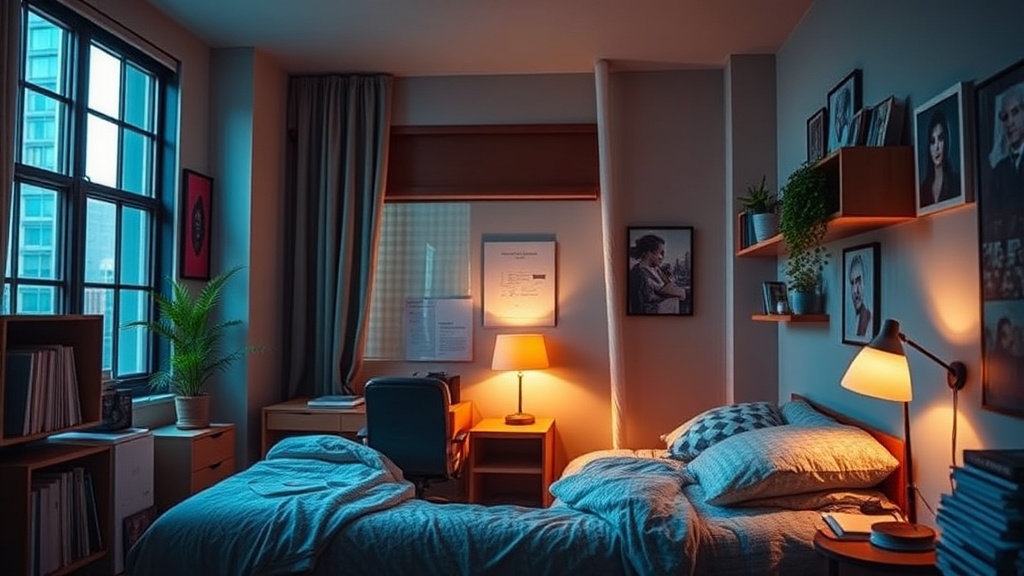
Building a High-Performance Study Sanctuary in Your NYU Dorm

It is 11:45 PM on a Tuesday in a mid-rise dorm near Washington Square Park. The radiator is clanking rhythmically, a neighbor’s bass is vibrating through the thin walls, and the harsh, flickering fluorescent light from the hallway spills into your room every time someone passes. You have a 15-page paper due for your seminar in eight hours, but instead of focusing on your thesis, you are staring at a pile of laundry and a cluttered desk, feeling the mental fog of a disorganized environment. This isn't just a lack of discipline; it is a failure of spatial design. In the high-density living of New York City, your dorm room cannot just be a place to sleep—it must function as a high-performance laboratory for deep work.
Creating a study sanctuary requires moving beyond the basic "desk and chair" setup. You must intentionally engineer your environment to trigger cognitive flow states. This involves three distinct pillars: sensory control, ergonomic optimization, and cognitive zoning. By treating your square footage as a strategic asset, you can transform a cramped NYU dorm into a powerhouse of productivity.
Phase 1: Sensory Control and Environmental Engineering
The primary enemy of deep work in a college dormitory is sensory intrusion. You cannot control the noise level of the West Village, but you can control how much of it reaches your brain. To build a sanctuary, you must implement a multi-layered defense against auditory and visual distractions.
Auditory Isolation
Standard earbuds are rarely enough for a truly immersive session. To achieve true focus, invest in Active Noise Canceling (ANC) technology. High-end models like the Sony WH-1000XM5 or Apple AirPods Max are industry standards for a reason: they effectively neutralize the low-frequency hum of building HVAC systems and the high-frequency chatter of roommates. If you prefer a non-digital approach, use a dedicated white noise machine or a high-quality Bluetooth speaker playing "brown noise." Unlike white noise, brown noise has a lower frequency that mimics the sound of a deep ocean swell, which is statistically more effective at masking human speech and sudden movements.
Lighting Architecture
The overhead lighting in most NYU residence halls is notoriously unforgiving, often utilizing cool-toned, high-intensity bulbs that can trigger eye strain and headaches. To combat this, implement a dual-lighting system. Use a task light for direct focus and an ambient light for general mood. A BenQ ScreenBar is an excellent investment; it clips onto your monitor or laptop and illuminates your workspace without creating glare on the screen or casting shadows on your notes. For ambient light, opt for a lamp with a warm color temperature (around 2700K) to signal to your brain that it is time to wind down after a heavy session, rather than staying in a state of high-alertness that prevents sleep later.
Visual Minimalism
A cluttered desk leads to a cluttered mind. In a small dorm room, visual "noise"—the sight of a half-eaten snack, a stack of unread mail, or a tangled charging cable—acts as a constant micro-distraction. Use a desk tray or a modular organizer like the Grovemade Desk Tray to contain your immediate tools. At the end of every study session, perform a "reset": clear your desk of everything except your laptop and a notebook. This ensures that when you return to your desk, you are met with a clean slate rather than the remnants of yesterday's stress.
Phase 2: Ergonomic Optimization for Long-Haul Sessions
You cannot sustain high-level cognitive output if you are experiencing physical discomfort. Most students rely on the standard-issue wooden or plastic chairs provided by the university, which are designed for durability rather than ergonomics. If you plan to spend four or more hours a day at your desk, you must upgrade your physical interface.
The Seat and Posture
If your dorm's floor plan allows, a dedicated ergonomic chair is the single best investment you can make. Look for features like lumbar support, adjustable armrests, and seat depth. If a full office chair is too bulky, utilize a memory foam seat cushion or a lumbar roll to improve the ergonomics of your current setup. Proper posture prevents the "slump" that leads to decreased oxygen intake and subsequent fatigue. Remember that your hips should be slightly higher than your knees to maintain a neutral spine.
Vertical Alignment
Looking down at a laptop for hours is a recipe for "tech neck," a condition that causes significant tension in the upper trapezius and cervical spine. To prevent this, you must elevate your screen to eye level. Use a laptop stand (such as the Roost or an adjustable aluminum stand) and pair it with an external keyboard and mouse. This configuration allows you to keep your head upright and your shoulders relaxed. This setup is particularly crucial during long research sessions where you are reading multiple tabs and sources simultaneously.
The Importance of Movement
Ergonomics is not just about the chair; it is about the relationship between your body and the workspace. Implement the Pomodoro Technique (25 minutes of work followed by a 5-minute break) to ensure you are not static for too long. During these breaks, do not simply switch from your laptop to your phone. Instead, engage in "active recovery": stretch your hip flexors, do a few sets of calf raises, or step into the hallway for a moment of fresh air. This physical movement helps reset your focus and prevents the mental stagnation often discussed in strategies for sustained focus.
Phase 3: Cognitive Zoning and Ritualization
The final step in building a sanctuary is psychological. In a tiny dorm room, the lines between "living space" and "working space" are often blurred. If you study in your bed, your brain will begin to associate your bed with the stress of academics, which can lead to insomnia. You must create a strict boundary between these two zones.
Defining the Work Zone
Even if your desk is only three feet away from your bed, you must treat it as a separate territory. This is achieved through environmental cues. Use a specific scent, such as a citrus-based essential oil diffuser, only when you are studying. Use a specific "study playlist" that you never listen to while relaxing. These sensory triggers act as a psychological "on-switch," signaling to your brain that it is time to enter a state of high productivity. When the music stops or the diffuser is turned off, the work session is officially over.
Digital Hygiene
Your digital environment is just as important as your physical one. A desktop littered with icons and a browser with fifty open tabs is the digital equivalent of a messy desk. Use a website blocker like Freedom or Cold Turkey to lock yourself out of distracting sites (Instagram, Reddit, YouTube) during your scheduled deep-work blocks. Furthermore, keep your phone in a drawer or across the room. The mere presence of a smartphone, even if it is face down, has been shown to reduce cognitive capacity.
Optimizing Your Biological Clock
Your ability to focus is deeply tied to your internal rhythms. A high-performance sanctuary is useless if your body is in a state of constant circadian disruption. Be mindful of how your light exposure and meal timing affect your ability to concentrate. For instance, understanding how to eat with your circadian rhythm can significantly improve your energy levels during late-night study sessions or early-morning lectures.
Summary Checklist for Your NYU Dorm Sanctuary
To ensure you have addressed all critical components, use this checklist before your next heavy study week:
- Audio: Do I have high-quality ANC headphones or a reliable white noise source?
- Light: Is my task lighting at eye level and separate from my ambient light?
- Ergonomics: Is my laptop elevated, and do I have an external keyboard/mouse?
- Organization: Is my desk clear of non-academic clutter and food debris?
- Boundaries: Have I established a specific ritual (scent, music, or movement) to separate work from rest?
Building a high-performance study sanctuary is an iterative process. You may find that a certain lamp is too bright or that a specific pair of headphones doesn't quite block out your roommate's FaceTime calls. Pay attention to these micro-adjustments. Your goal is to create a space that doesn't just tolerate your presence, but actively supports your intellectual growth.
Steps
- 1
Zoning Your Space
- 2
Optimizing Lighting for Focus
- 3
Minimizing Digital and Physical Clutter
- 4
Incorporating Sensory Triggers